As of August 31, 2026, a business owner in the United States, Canada, Australia, New Zealand, Japan, South Korea, Brazil, Mexico, or the United Kingdom can open a ChatGPT Ads account directly, add a card, and launch a campaign without a salesperson or an agency. The account sits under the business's own OpenAI organization. Nobody else's name is on the billing.
That matters more than it sounds like it should. A Google Ads account can move between agencies without much friction; access is granted and revoked, the account stays put. A ChatGPT Ads account opened through an intermediary may not work the same way: OpenAI has not published what happens to ownership when a booking runs through its Ads Solutions team or an agency partner instead of self-serve. If you want to own this account for as long as you advertise, create it yourself, under your own business, from day one.
So here is the actual walkthrough: the console screens in order, the landing-page rule that quietly blocks more accounts than any policy violation, what review really checks, and what to have ready before you start. Where OpenAI has published nothing, we say so instead of guessing. For a platform doing a billion dollars a year in annualized ad revenue, there is a surprising amount of nothing.
Who can self-serve today
Self-serve access rolled out unevenly, market by market, over about four months. In order:
- United States: self-serve opened to all US businesses on May 5, 2026, with minimum spend eliminated and campaigns startable from roughly $25 a day.
- Canada, Australia, New Zealand: added to the self-serve footprint after the US, ahead of the UK.
- United Kingdom: ads went live on June 6, 2026 through OpenAI's own sales team only; self-serve followed on June 19, 2026, the fifth self-serve market after the US, Canada, Australia, and New Zealand.
- Japan, South Korea, Brazil, Mexico: added through the summer of 2026, on a similar sales-first-then-self-serve pattern.
- European Union, the wider EEA (Norway, Iceland, Liechtenstein), and Switzerland: 31 markets went live on August 24, 2026, not through the self-serve console: bookings ran through OpenAI's Ads Solutions team or one of six agency partners (Publicis, Omnicom, WPP, Havas, Dentsu, MediaPlus). As of OpenAI's August 31, 2026 announcement, self-serve is rolling out across those same markets, one week after that agency-only start, so read "rolling out" as in progress, not a switch already on in your country. More in our EU-focused piece.
- India: self-serve opens September 4, 2026, with daily budgets starting at ₹725, about $7.60.
- Middle East and North Africa: folded into the same August 31 self-serve announcement as India and Europe, with no country-by-country detail published yet.
If your market is not on this list, or you are unsure which side of the line you are on, the only reliable check is to sign in at ads.openai.com with the business's own account and see what the interface offers. Third-party trackers of "who has self-serve" go stale within weeks at this pace.
The setup sequence in the self-serve console
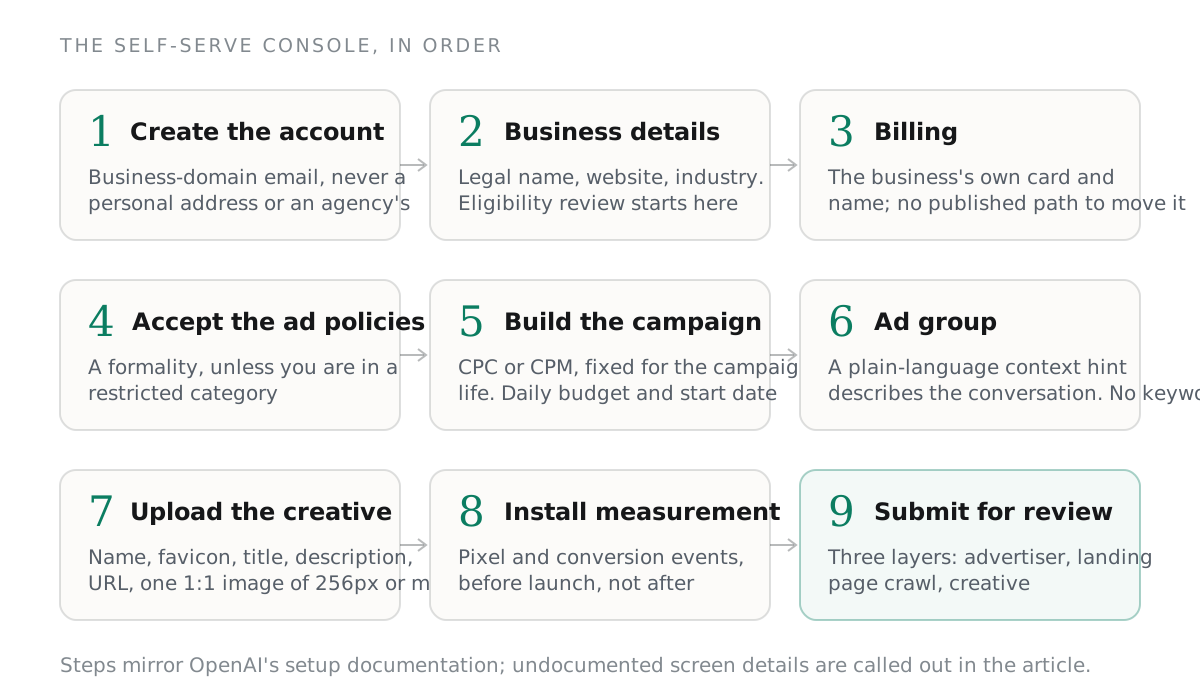
This is the order OpenAI's setup documentation describes, cross-checked against how the flow actually behaves. Undocumented screen details are noted as such, not guessed at.
1. Create the account
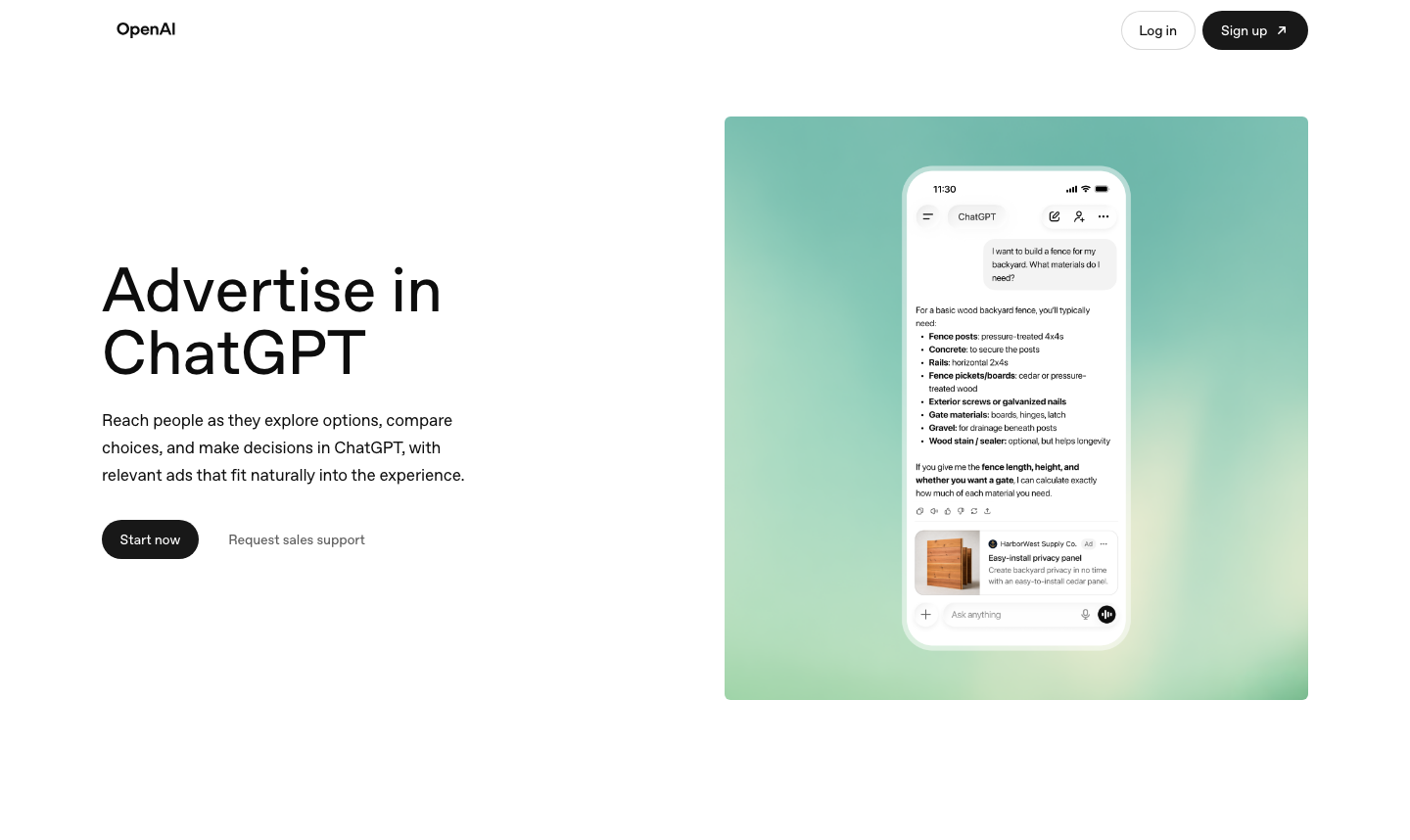
Go to ads.openai.com and sign in with the account holder's own work email, or create a new OpenAI account for the business: use an address on the business's own domain, not a personal email or an agency's. This account holds billing and campaign history going forward, so treat the signup like opening a bank account, not requesting a demo.
2. Business details
Enter the legal business name, website URL, and an industry category from OpenAI's list. This feeds the first of three review layers, advertiser eligibility, before you have built anything. If your landing pages sit on a different domain than the account, expect an extra identity-verification step; several advertisers report being asked for an EIN or equivalent registration number, though OpenAI has not published the rule in detail.
3. Billing
Add a payment method and billing address under the business's own name. OpenAI hasn't published a full list of accepted payment types or an invoicing threshold for high-spend accounts, so treat whatever the interface offers as current state, not policy. This is also the point to decide whose card and name go on file; once campaign and conversion history build up, there is no published path for moving it later.
4. Accept the ad policies
You agree to OpenAI's ad policies before building a campaign. For a standard, unrestricted category, this step is a formality. For a restricted category (financial services, health services, legal services), slower, manual review begins here, and resurfaces at the creative-review step.
5. Build the campaign
Choose an objective, clicks (CPC) or impressions (CPM), fixed for the campaign's life once set. CPM was the only option at launch; CPC bidding arrived April 21, 2026, with OpenAI recommending a starting max bid of $3 to $5 per click. Set a daily budget (no platform-enforced minimum since May 5) and a start date. Geographic targeting in the US now goes down to country, state, DMA, and zip code with exclusions; that granularity built up over the rollout, absent on day one.
6. Build the ad group and write context hints
Inside the campaign, the ad group is where targeting happens, and it doesn't work like Google Ads: there is no keyword list. Instead, you write a plain-language "context hint": a short description of the conversations your ad should be eligible to appear next to, describing the person and situation rather than stuffing in brand terms or synonyms. There is no demographic targeting and no retargeting pixel for site visitors. The closest option is first-party list matching against your own customer data, with a published 25,000-user minimum; below that, this option isn't open to you yet.
7. Upload the creative
A ChatGPT ad card needs an advertiser name, a favicon, a title, a description, a landing page URL, and one square image: 1:1 aspect ratio, at least 256x256 pixels, JPG, PNG, or WEBP. OpenAI has not published exact character limits for the title and description, and third-party estimates disagree widely: some put the title near 16 characters and the description near 32, others report room for a 50-character headline and a 100-character description. Until OpenAI documents it, write short: anything past about 20 characters in the title is a gamble the interface may cut off. Full asset specs and safer defaults are in our creative-specs breakdown.
8. Install measurement
This step is optional, and you will regret skipping it. Add OpenAI's measurement pixel (built around a single oaiq() function) to the landing page, and initialize it with a pixel ID from the ads console. App-install and app-open events need the server-side Conversions API; browser-side measurement doesn't cover them. One default worth knowing before you flip this on: automatic advanced matching, which hashes a visitor's email, phone, name, and location client-side and sends it to OpenAI, is on by default. OpenAI gave advertisers roughly ten days' notice before turning this on in early August 2026, and the consent liability sits with the advertiser, not OpenAI. Decide on this before you install anything if you operate under GDPR or a comparable regime. What the dashboard does and doesn't show you afterward is in our tracking and attribution guide.
9. Submit and wait for review
Once the campaign, ad group, and at least one ad are built, submit for review. Status moves from "in review" to "active" once the ad clears every review layer, assuming your landing page lets OpenAI's crawler in, which is the next thing to get right.
Landing pages must let OpenAI's crawler in, or nothing serves
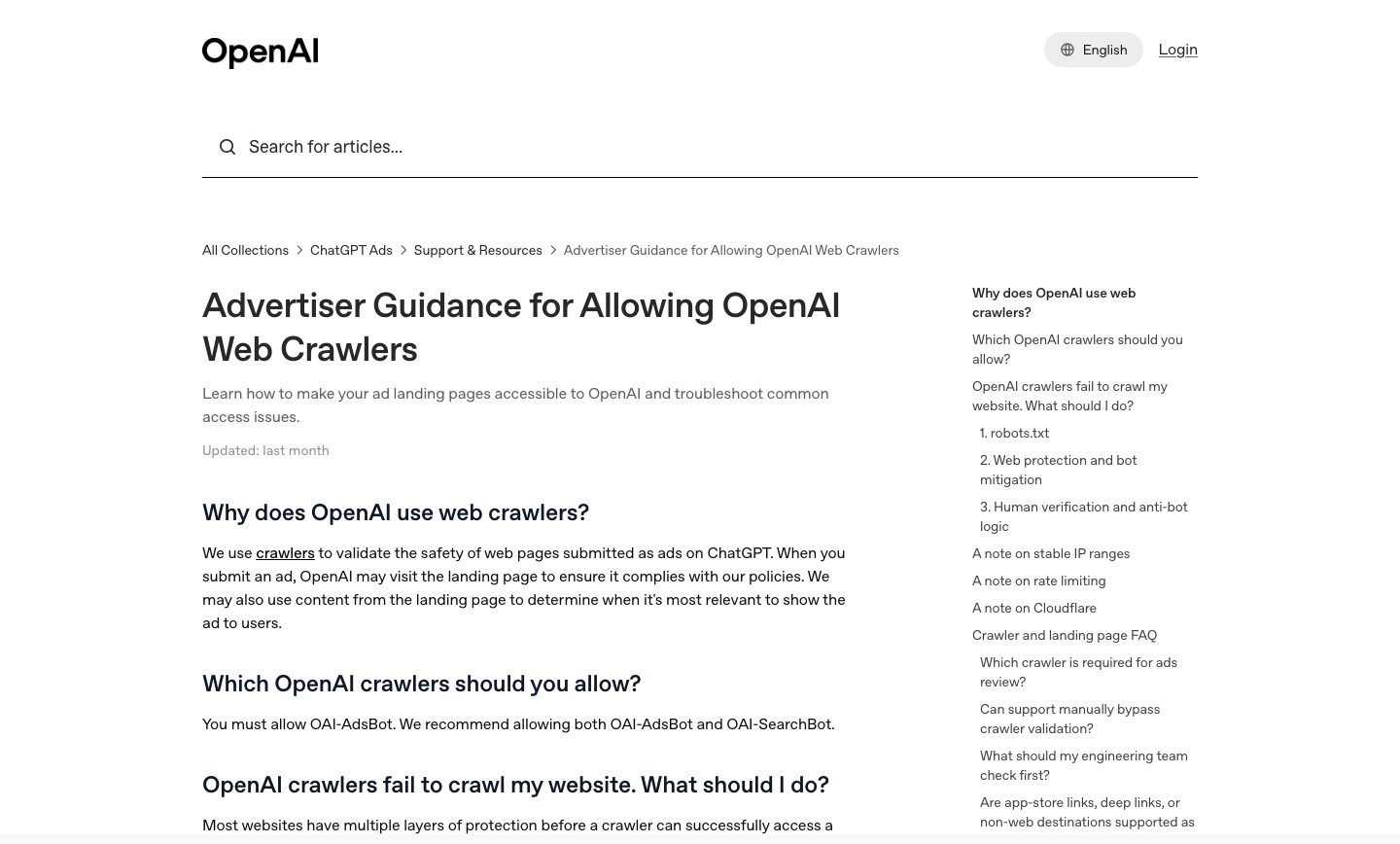
There is one requirement easy to miss because it has nothing to do with the ad policy page itself: OpenAI's ad-validation crawler, OAI-AdsBot, has to reach and read your landing page, or your ad won't be approved to serve, no matter how compliant the creative is. This is separate from OAI-SearchBot, which governs whether your pages surface in ChatGPT's search-style answers, and separate again from GPTBot, which crawls for model training. All three read different robots.txt tokens, and a rule allowing one does not automatically allow the others; each has to be checked on its own.
OpenAI's own advertiser guidance is direct: make sure robots.txt, your web application firewall, your CDN, any bot-mitigation service, authentication walls, and rate-limiting rules all let the bot through. That is a longer list than most businesses check before launch, since most of it is invisible in an ordinary browser: a page that renders fine for a human can still return a 403 or 429 to a crawler because of a forgotten Cloudflare or Akamai rule. It is also not fully settled, publicly, whether OAI-AdsBot honors robots.txt the way OAI-SearchBot does; reporting in April 2026 noted OpenAI had not confirmed this either way. Either way, do not block it, and check firewall and CDN logs for its user agent before you submit anything for review. If you change robots.txt, budget about 24 hours for the change to take effect.
Three layers of review, and the two rejection reasons everyone reports
OpenAI's ad policy describes three separate review layers. The first runs at signup: advertiser eligibility, checking business legitimacy and screening for fraud and abuse signals. The second runs when you upload a creative: title, description, image, and landing page are checked against policy, and rejected if any promote a disallowed category or otherwise cross a baseline standard. The third is ongoing and automatic: OpenAI keeps approved ads out of conversations it classifies as sensitive (personal health, mental health, politics), regardless of what the advertiser sells, and advertisers currently have no controls to set this layer themselves.
Two rejection reasons come up often enough in advertiser reporting to name specifically. The first is anything that mimics ChatGPT's own voice or interface: copy or creative that could make a user think they are still talking to ChatGPT rather than looking at a paid placement. The second is any claim that "ChatGPT recommends" the product. Both violate what OpenAI calls answer independence: its commitment that a paid placement never changes, and is never confused with, the organic answer above it. Write the ad like an ad, not like a continuation of the conversation.
There is no documented appeals process for a rejected ad: none of OpenAI's public materials describe an escalation path if you disagree with a review decision. The policy page has been revised at least four times between February and August 2026, including one documented internal contradiction over what counts as allowed legal-services advertising. A policy read last month is not one you should assume still holds. Reread it before every new campaign, not just your first. For a fuller map of banned-outright versus case-by-case categories, see our breakdown of restricted industries.
Realistic timelines
OpenAI has not published a service-level agreement for either review stage, and reports vary enough that you should plan for the slow end. Business-level eligibility checks (step 2) have been reported anywhere from a few minutes for a standard category to well over a week when a restricted category or a mismatched domain triggers extra identity verification. Per-ad creative review tends to move faster once the account has cleared: a few hours to about a day, with flagged ads taking longer and no published cap on how much longer.
Put together: in an eligible category, with a landing page that already allows OpenAI's crawlers and an account and domain that match cleanly, budget same-day to a few days for your first ad to go live. If any of those three is not true, budget a week or more, and start that work before you set a launch date.
Pre-launch checklist
Work through this before you submit a campaign for review, not after it stalls:
- Legal business name, website URL, and industry category match your bank and domain registration, not a shortened brand name or DBA.
- The account is registered under the business's own domain email, with the business as the named advertiser (not an agency's), if you want to keep it indefinitely.
- A payment method is on file under the business's own name.
- robots.txt allows OAI-AdsBot and OAI-SearchBot by name; check both tokens separately.
- Your WAF, CDN, and any bot-mitigation service allow both bots through; check firewall logs for their user agents, do not assume.
- The landing page loads without a login wall, a cookie-consent gate that blocks content, or a CAPTCHA sitting in front of the crawler.
- Creative assets ready: a square 1:1 image at least 256x256 pixels, a favicon, and a title and description kept short given the undocumented character limits.
- The context hint is written as a plain-language description of the person and situation, not a keyword list ported over from Google Ads.
- You have decided, before installing the pixel, whether automatic advanced matching is acceptable under your privacy obligations: it is on by default.
- You know your own Google cost-per-lead number going in: nothing about ChatGPT ads is confirmed cheaper, and the only way to know if it is cheaper for you is to run the number yourself.
Questions we keep getting
Can my agency create the account for me?
They can, technically, in any self-serve market. But whoever creates the account is the party OpenAI has a direct relationship with, and OpenAI hasn't published what happens to that relationship if you later move to a different agency or bring it in-house. If long-term ownership matters, create the account yourself and grant access to whoever helps you, not the other way around. In the EU, where bookings still run through OpenAI's Ads Solutions team or an agency partner, who is named as advertiser of record isn't publicly documented either. Ask before you sign anything.
Do I need a ChatGPT Plus or Pro subscription to advertise?
No. The advertiser account is separate from a consumer ChatGPT subscription: you sign in or sign up with a work email. Worth knowing in reverse too: OpenAI doesn't show ads to ChatGPT Plus, Pro, or Business subscribers, or to accounts belonging to users under 18. Your ads only reach people on the Free and Go tiers.
What if my landing page sits behind a cookie-consent wall?
Treat it the same as any other crawler-blocking issue. If a consent gate prevents content from rendering before a visitor (human or bot) responds to it, OAI-AdsBot can't validate the page and your ad will not be approved. Some sites solve this by exempting known crawler user agents from the interstitial and applying consent logic only to human sessions. Involve whoever controls your CDN or consent tooling before you submit, not after.
Can I reuse my Google Ads creative?
Not directly. There is no keyword targeting to port over (context hints replace it entirely), and the policy bans on mimicking ChatGPT's voice or claiming an endorsement have no equivalent on Google. A headline written for a search results page usually needs rewriting, not just resizing, for a placement OpenAI classifies as a labeled recommendation card, not a search result.
Sources
- OpenAI Help Center. Ads in ChatGPT: The Basics (Aug 2026)
- OpenAI Help Center. Self-serve ads console overview (beta) (Aug 2026)
- OpenAI Help Center. Create Ad Groups for ChatGPT Ads (Aug 2026)
- OpenAI Help Center. Create Ads for ChatGPT Ads (Aug 2026)
- OpenAI Help Center. Advertiser Guidance for Allowing OpenAI Web Crawlers (Aug 2026)
- OpenAI. Ad policies (Aug 2026)
- OpenAI Developers. Overview of OpenAI Crawlers (Aug 2026)
- Axios. OpenAI opens its self-serve ad platform to U.S. businesses (May 2026)
- Digiday. OpenAI turns on cost-per-click ads inside ChatGPT (Apr 2026)
- PPC Land. ChatGPT ads go live in the UK as OpenAI expands pilot beyond US (Jun 2026)
- Search Engine Land. OpenAI opens its ChatGPT ads self-serve beta to UK advertisers (Jun 2026)
- PPC Land. OpenAI's new OAI-AdsBot is quietly crawling your landing pages (Apr 2026)
- PPC Land. ChatGPT advertisers face 10 days to opt out of automatic advanced matching (Aug 2026)
- Adweek. OpenAI Is Taking Its Ad Business to 31 New European Markets (Aug 2026)
- Digiday. OpenAI's ChatGPT ads business hits $1 billion run rate as Europe gets self-serve access (Aug 2026)
- abmatic.ai. OpenAI Ads Policy 2026: What Gets Approved (and Rejected) (May 2026)
- IANS. ChatGPT to run ads in India for users of Free, Go tiers (Aug 2026)